Tutorials
Master CalcuMentor
Comprehensive guides for students, teachers, and admins. Learn handwriting recognition, AI tutoring, canvas tools, class management, and more.
Production hookup: export tutorial videos as *.mp4 and place them in website/public/tutorials/. Cards with mapped files will auto-show playable video.
Expected asset: website/public/tutorials/CM_L1_NoJudgment_v1.mp4
Playbook mapping: L1 / Script G
No Judgment: Wrong Answers Are a Start
Show students that mistakes are expected. The tutor gives a supportive next step so they keep moving.
Steps:
- Record an uncertain first attempt on one short algebra problem
- Tap Check once
- Capture the first supportive AI nudge line
- Show one corrected next line
- End with a short CTA card: Learn without fear
Expected asset: website/public/tutorials/CM_L2_StartingPoint_v1.mp4
Playbook mapping: L2 / Script F
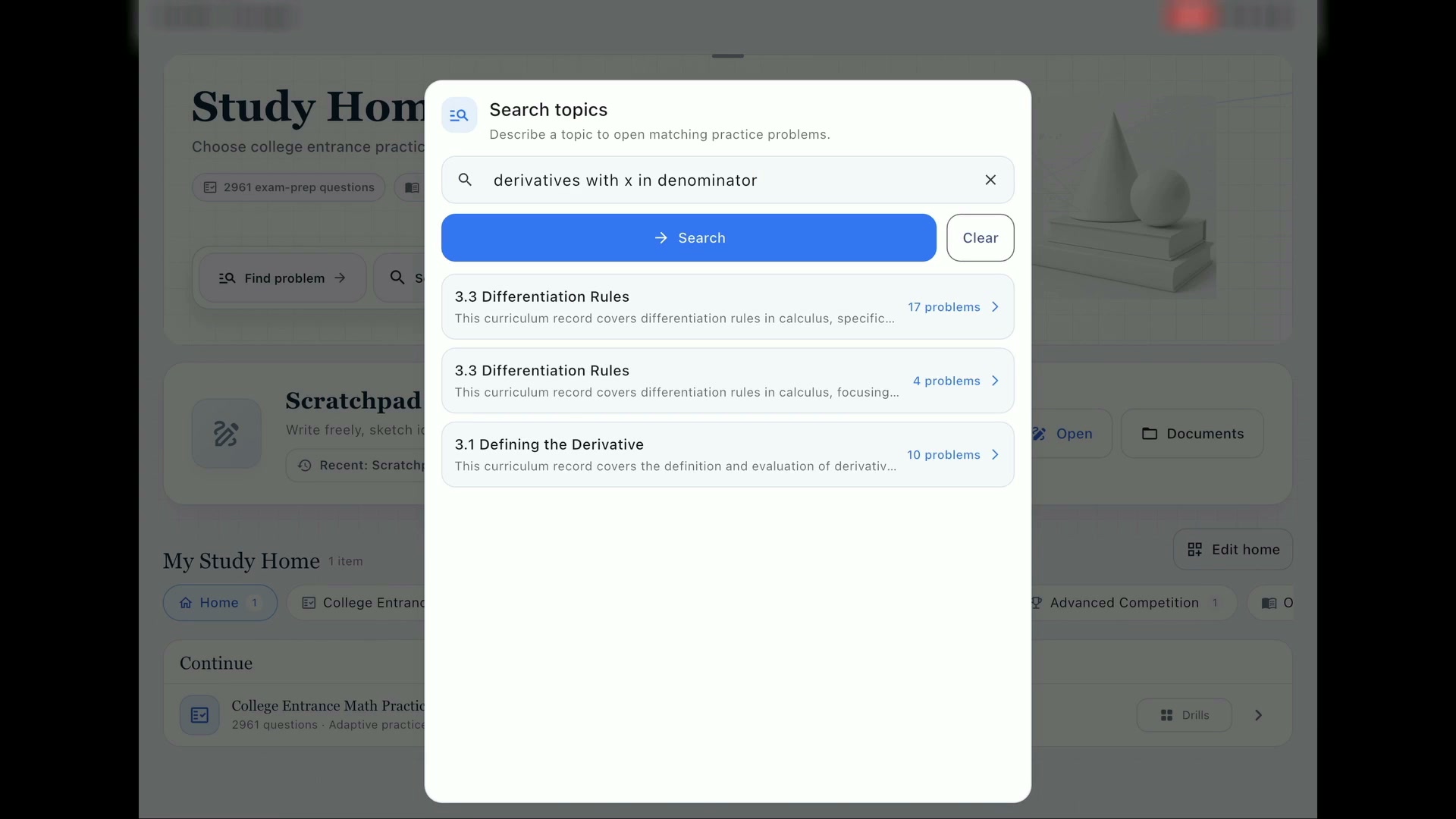
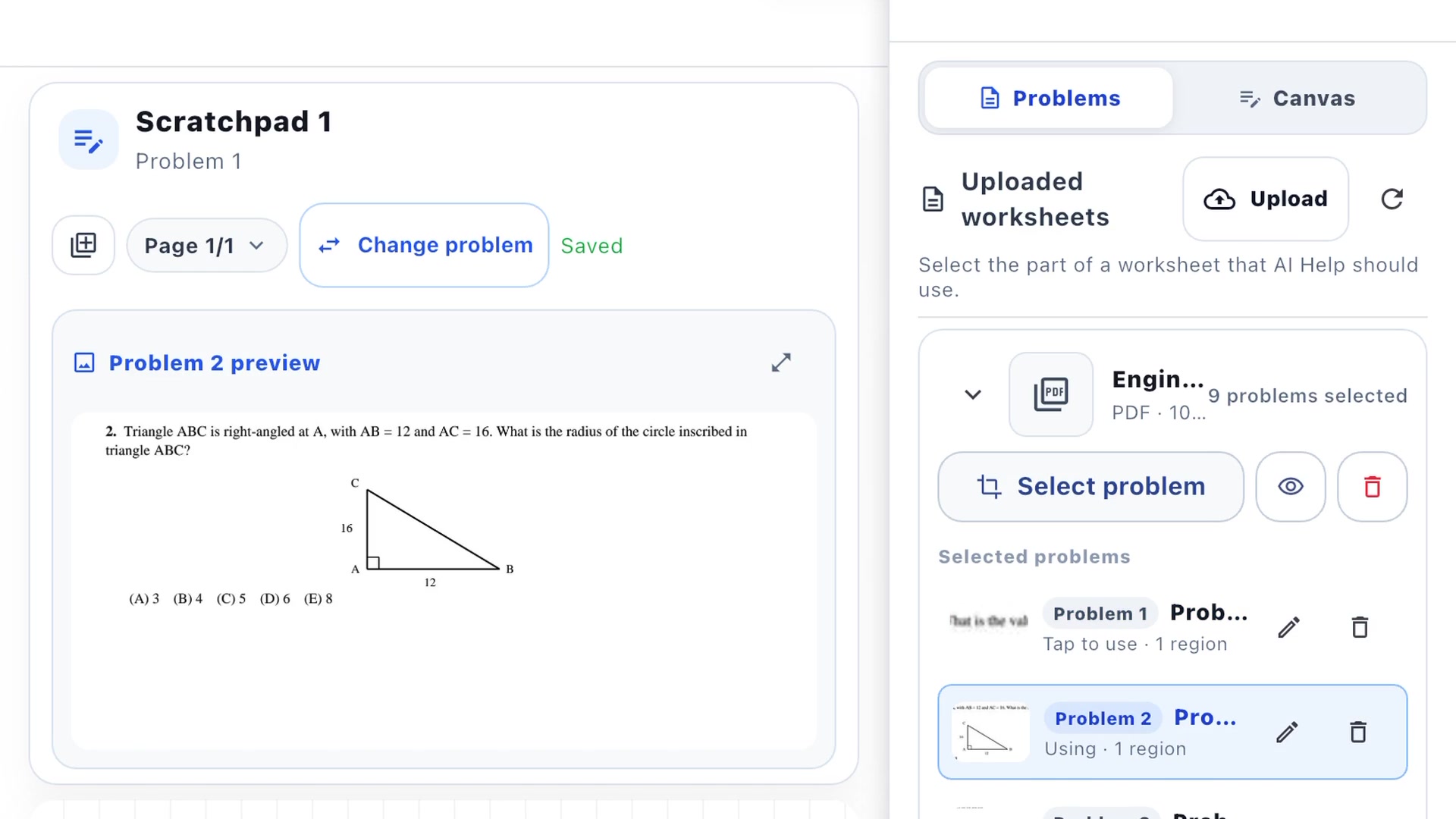
Getting Started with CalcuMentor
Sign in with Google, browse the course catalog, and unlock courses with the Math Pass or individual purchases.
Steps:
- Download the CalcuMentor app from the App Store (iOS) or access via web
- Sign in with Google
- Browse the course catalog and select your course
- Unlock courses with the Math Pass ($14.99/mo) or individual purchase
- Start solving problems with AI tutoring
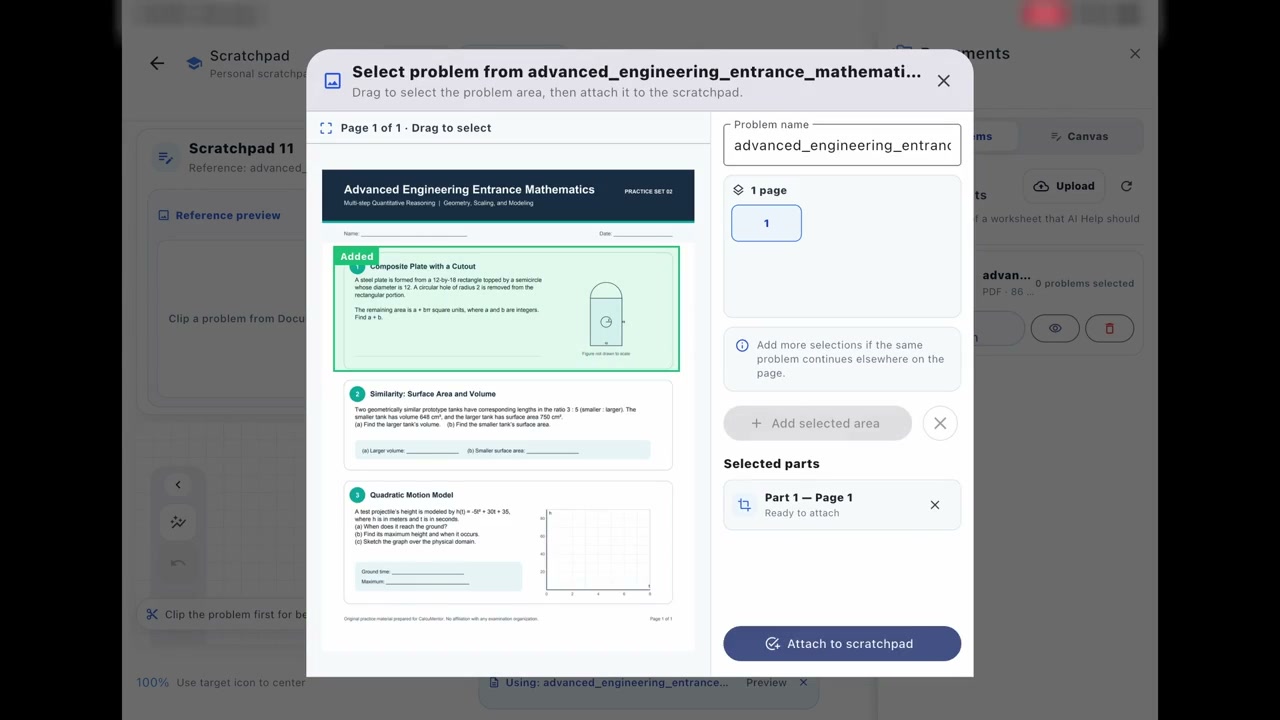
Mastering Handwriting Recognition
Write mathematical expressions naturally on the canvas. Our MathPix-powered recognition converts your handwriting to LaTeX in real-time.
Tips:
- Write clearly with good spacing between symbols
- Use separate lines for different expressions
- For fractions, write numerator above denominator with clear separation
- Avoid cramped or overlapping characters
- Use standard mathematical notation (×, ÷, √, ∫, etc.)
- The system auto-improves recognition over time
Expected asset: website/public/tutorials/CM_L3_HintNotAnswer_v1.mp4
Playbook mapping: L3 / Script B
Four Ways to Get Help
Tap a button anytime you're stuck. The AI adapts to your level—from a gentle nudge to detailed explanations.
Hint Levels:
Canvas Modes: Scratch vs Graph
Switch between Scratch mode for freehand work and Graph mode for precise geometric shapes, diagrams, and coordinate plots.
Features:
- Scratch Mode: Freehand drawing for writing equations and working through problems
- Graph Mode: Draw circles, rectangles, lines, and coordinate axes with precision
- Color picker for multi-color annotations
- Undo/Redo stacks for both modes
- Grid overlay toggle for alignment
- Eraser tool and clear canvas option
Expected asset: website/public/tutorials/CM_L4_FriendlyNudge_v1.mp4
Playbook mapping: L4 / S03
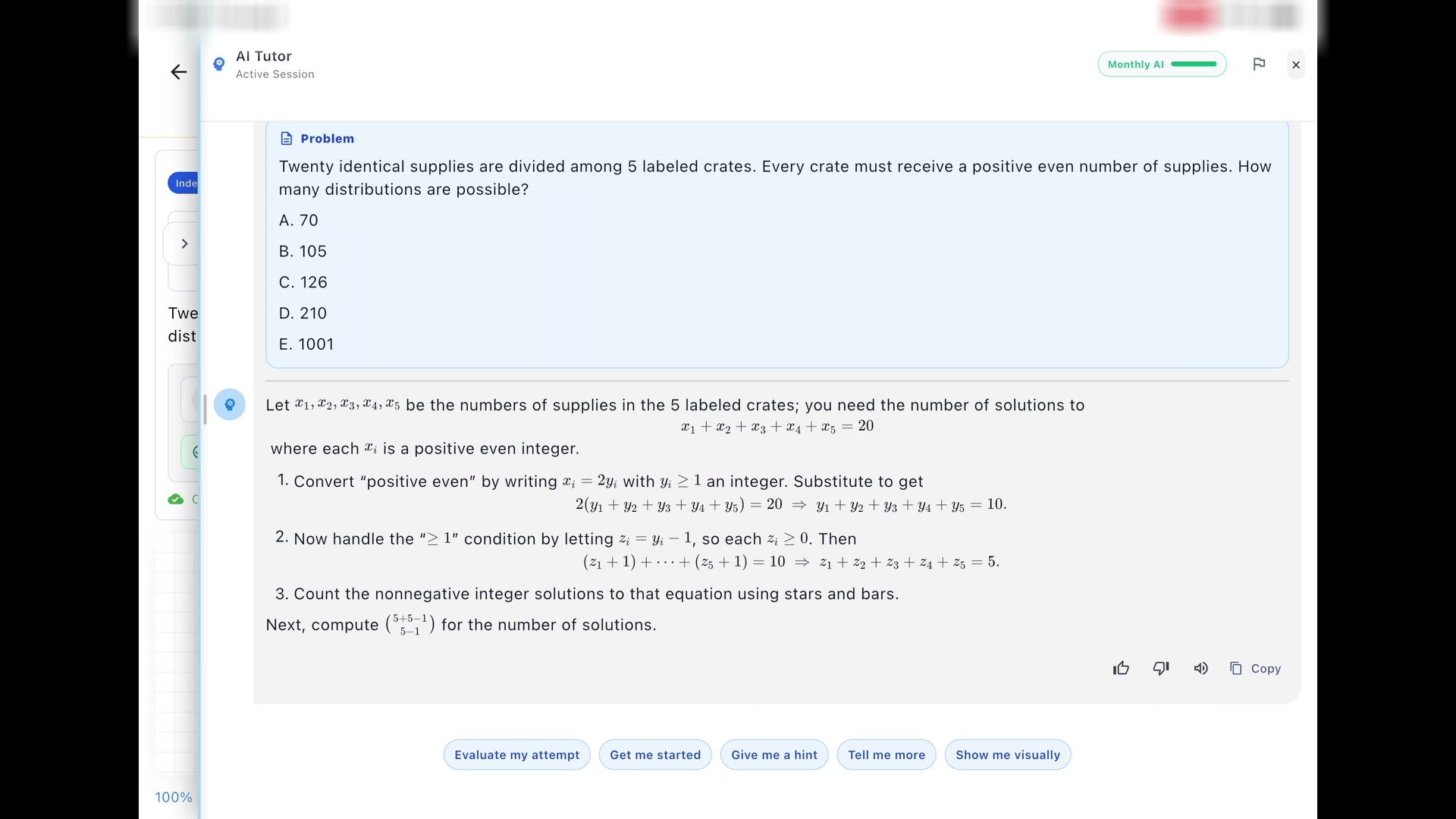
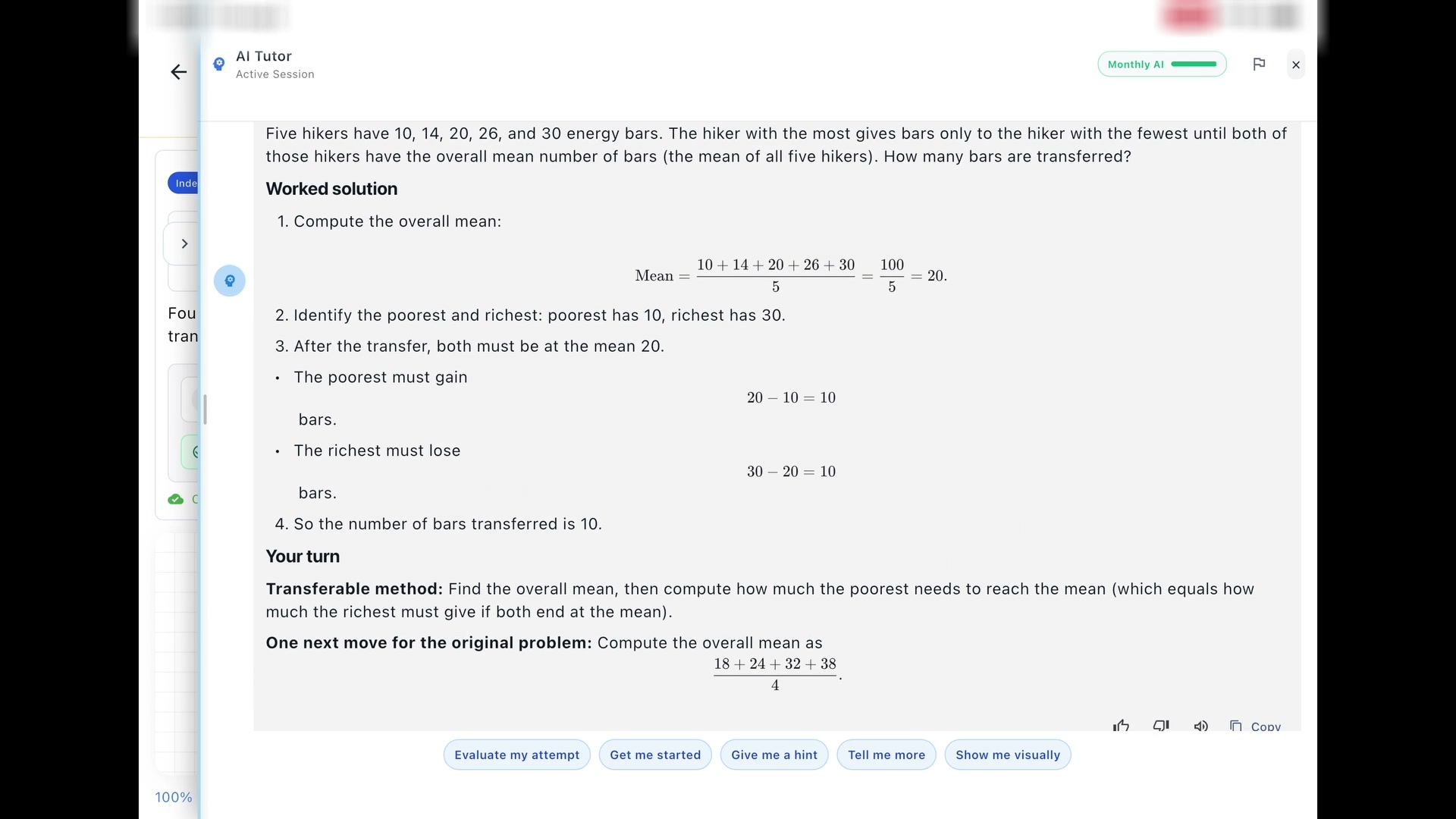
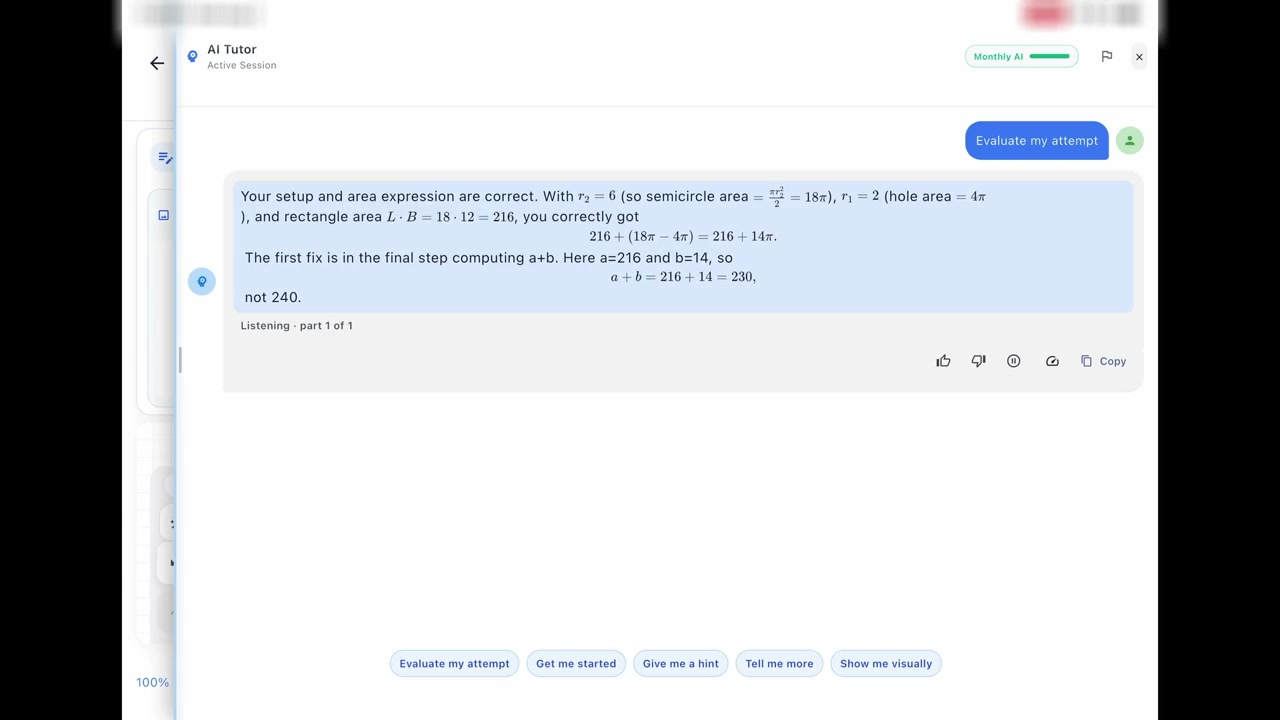
Using the AI Chat Panel
Ask questions, request hints, and get Socratic feedback. The AI tutor guides you without giving away answers.
Examples:
Teacher: Creating & Managing Classes
Create classes, generate join codes, assign problems, and track student progress with detailed analytics.
Workflow:
- Switch to Teacher role in the app
- Create a new class with a name and description
- Share the 6-character join code with students
- Assign specific chapters and problems
- Monitor student attempts, completion rates, and common misconceptions
- View conversation transcripts to understand student thinking
- Access the analytics dashboard for class-wide insights
Student: Joining Classes & Assignments
Enter a class code from your teacher to access assigned problems and track your progress.
Steps:
- Get the 6-character class code from your teacher
- In the app, navigate to "Join Class"
- Enter the class code and confirm
- View assigned problems in the class dashboard
- Complete problems to unlock progress tracking
- See your teacher's feedback and recommendations
Reviewing Conversation History
Access past AI tutor conversations to review feedback, revisit hints, and track your learning journey.
Features:
- View all past conversations organized by problem
- Review the hints you received and your responses
- See misconception tags identified by the AI
- Export conversation transcripts (teachers)
- Resume interrupted conversations
- Search conversations by topic or keyword
Expected asset: website/public/tutorials/CM_L5_LearningLoop_v1.mp4
Playbook mapping: L5 / Script C
Understanding Problem Evaluation
Learn how CalcuMentor evaluates your solutions using GPT-4 powered mathematical reasoning.
How it works:
- Your handwritten work is converted to LaTeX via MathPix
- GPT-4 compares your solution to the expected answer
- The system checks for mathematical equivalence (not just string matching)
- You receive a confidence score and detailed feedback
- Common mistakes are tagged (e.g., "sign error", "forgot constant")
- Partial credit is awarded for correct steps
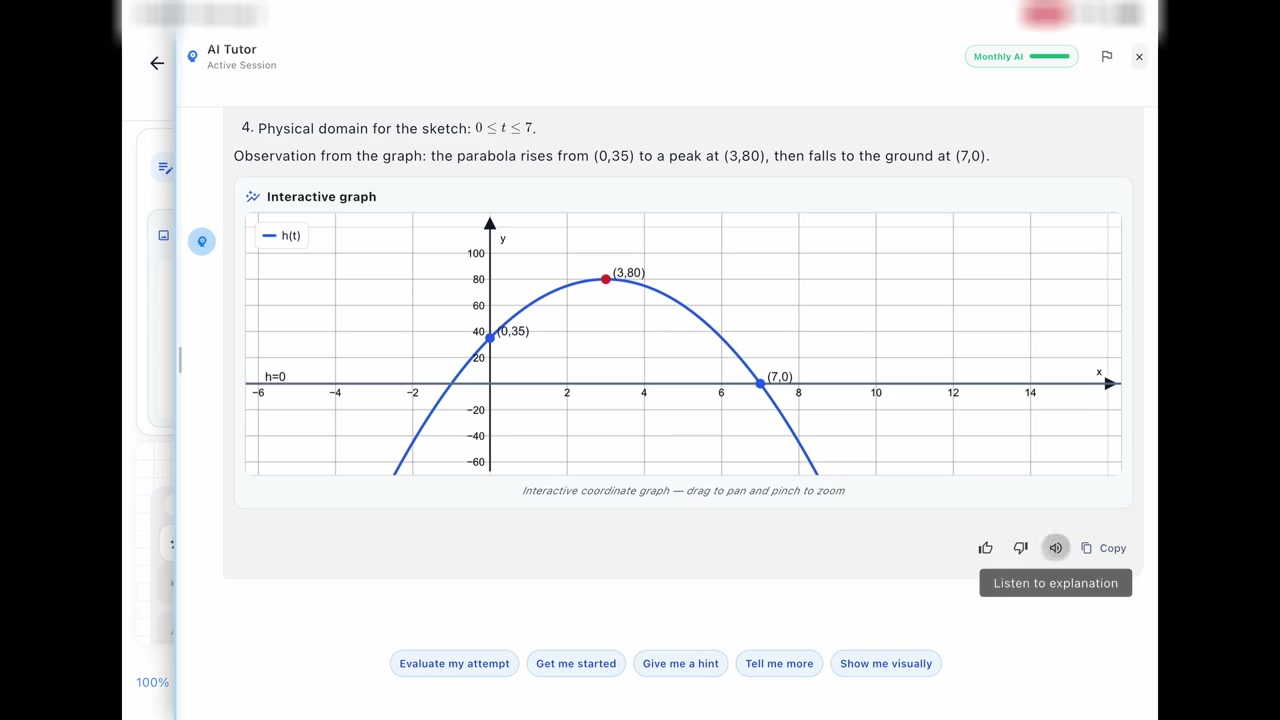
LaTeX Rendering in Responses
All mathematical expressions are rendered beautifully using LaTeX for clarity and precision.
Examples:
Analytics Dashboard (Teachers & Admins)
Track student engagement, problem completion, common errors, and learning trends with powerful analytics.
Metrics tracked:
- Student attempt counts and success rates
- Average time per problem
- Most common misconceptions
- Hint usage patterns
- Class-wide performance trends
- Individual student progress reports
- Standards coverage tracking
Courses & Subscription Options
Choose between individual course purchases or the Math Pass for unlimited access.
Options:
- Math Pass: $14.99/month for all courses (recommended)
- Individual course purchases: One-time payment per course
- iOS: Purchase via RevenueCat in-app purchases
- Web: Purchase via Stripe checkout
- Class enrollment: Free access to assigned courses via teacher
- Promo codes: Redeem for trials or discounts
Ready to get started?
Sign in to CalcuMentor and start learning with AI-powered Socratic tutoring.
Browse courses